
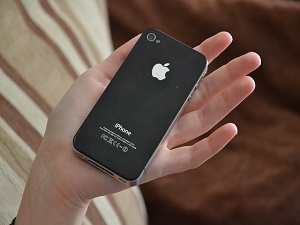
 If you've recently gotten the new iPhone, then you've no doubt begun exploring iOS8, and all the things it can do. It might not look much different than its predecessor, but there are some pretty cool tricks you can perform with the new software. We'll outline a few of them just below.
Looking Behind Your Messages
What we mean here is that if you tap the word “Details” at the top of any MMS or SMS thread, you can get the contact information for the person you're engaged in conversation with, including all the photos and videos you've shared back and forth with that person. It archives the entire message history, so if you can't find that funny photo your friend sent months ago, you'll find it here. Even better, if the person on the other end of your conversation has location services enabled, it'll show you where the messages are originating from. Note that these new features also work for group conversations as well.
Photography
Camera controls are better than ever with the new OS. In addition to being able to adjust the brightness before you click the shutter, you can also make use of the new time lapse video feature, which is a great way to capture some really cool footage.
Better Battery Management
Built into the new OS is a feature that will tell you which of your apps are putting the biggest strain on your battery. In this case, it's a bit of catch up for Apple. Android devices have had this feature for quite some time now, and it's great to see it in the Apple ecosystem. Just go to Settings, then General, and then Usage.
Auto Correct is Better
Apple's auto correct methodology left something to be desired. Now though, in addition to changing the way the software handles word suggestions, when you're typing a message the OS pays attention to who you are chatting with and will adjust your tone, and the words it recommends, based on the identity of the person you're communicating with.
Voice Command Siri
It's true that you can only use this feature while the device is charging, which is actually a good thing, as the drain on the battery would be tremendous, but the bottom line is, you can activate Siri hands free now. Just say “Hey, Siri” and you'll get a response!
Contact Carousel
Just like the carousel you use to switch between your favorite apps, you've now got one that tracks your friends and recent contacts. This makes reaching out and touching the person you want to talk to that much easier and more convenient.
Safari Updates
If ever a browser was in need of updates, it's Internet Explorer, and just behind it, it's Safari. Fortunately, the new update takes some of the frustration out of surfing with the browser It is now more responsive to your commands, and integrates with Siri for clarification on what you want to search for. Additionally, the browser makes switching between the desktop and mobile versions of any site you're on as simple as tapping an icon. Both are excellent additions.